Turn your timeline into a podcast.
Tap the headphones on any X post or Grok answer and a natural neural voice reads it aloud — while you keep scrolling. It runs entirely on your device: no account, no API key, and nothing you read is sent anywhere.
Free · Chrome 116+ · Works offline after a one-time voice setup
Features
One click, and the timeline starts talking.
Echo lives in the X action row, right where you already read. Click it and keep scrolling, cooking, or commuting while a clear voice reads for you.
A headphones button on every post
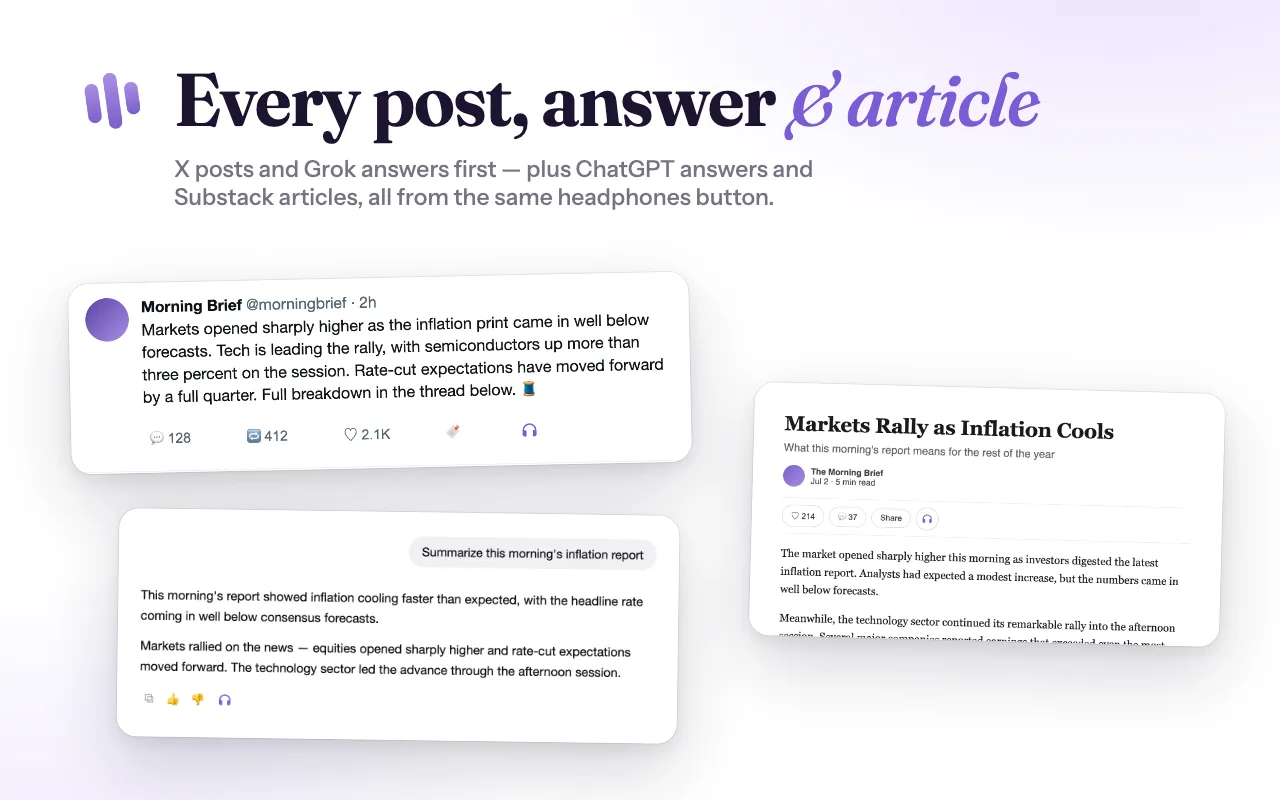
Echo sits right in the X action row, on posts and Grok answers alike. One click plays, another pauses — and you never leave the timeline.
Long threads, hands-free
Echo pulls the full, untruncated post text, so a wall of text becomes something you listen to instead of squinting at.
And everywhere else
ChatGPT answers and Substack articles get the same button. Anywhere else, select text, right-click, and choose "Read selection with Echo."
Private by design
Speech is synthesized locally with the Kokoro neural voice. Your posts and audio never touch an Echo server — there isn't one.
Side-panel player
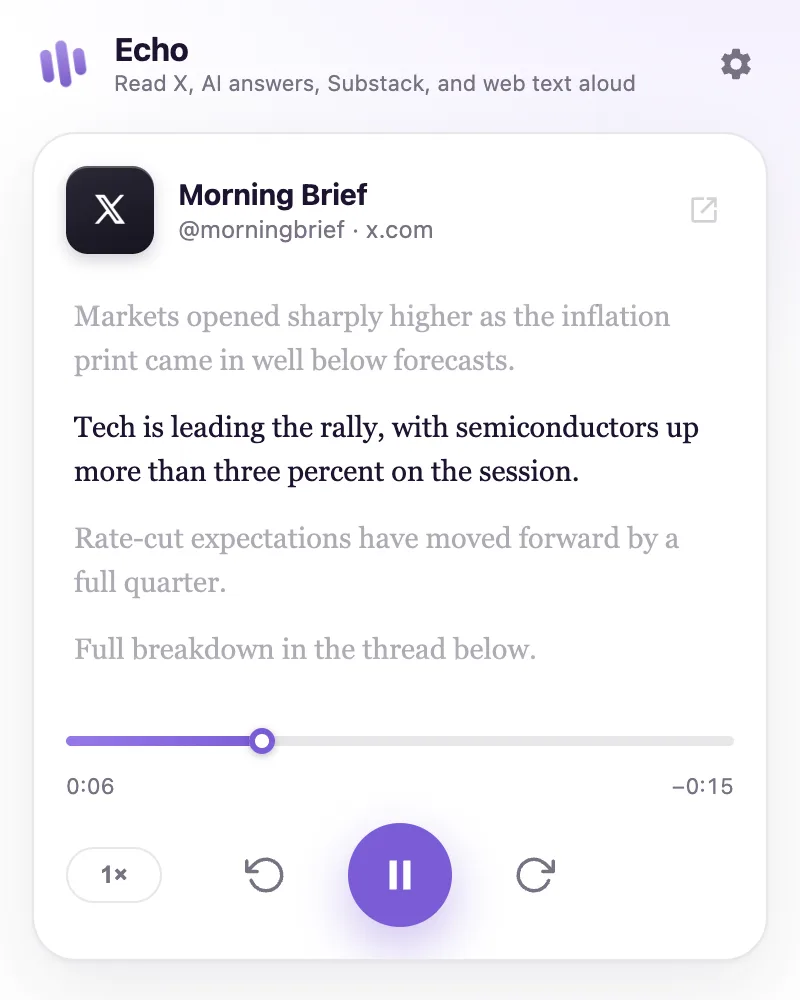
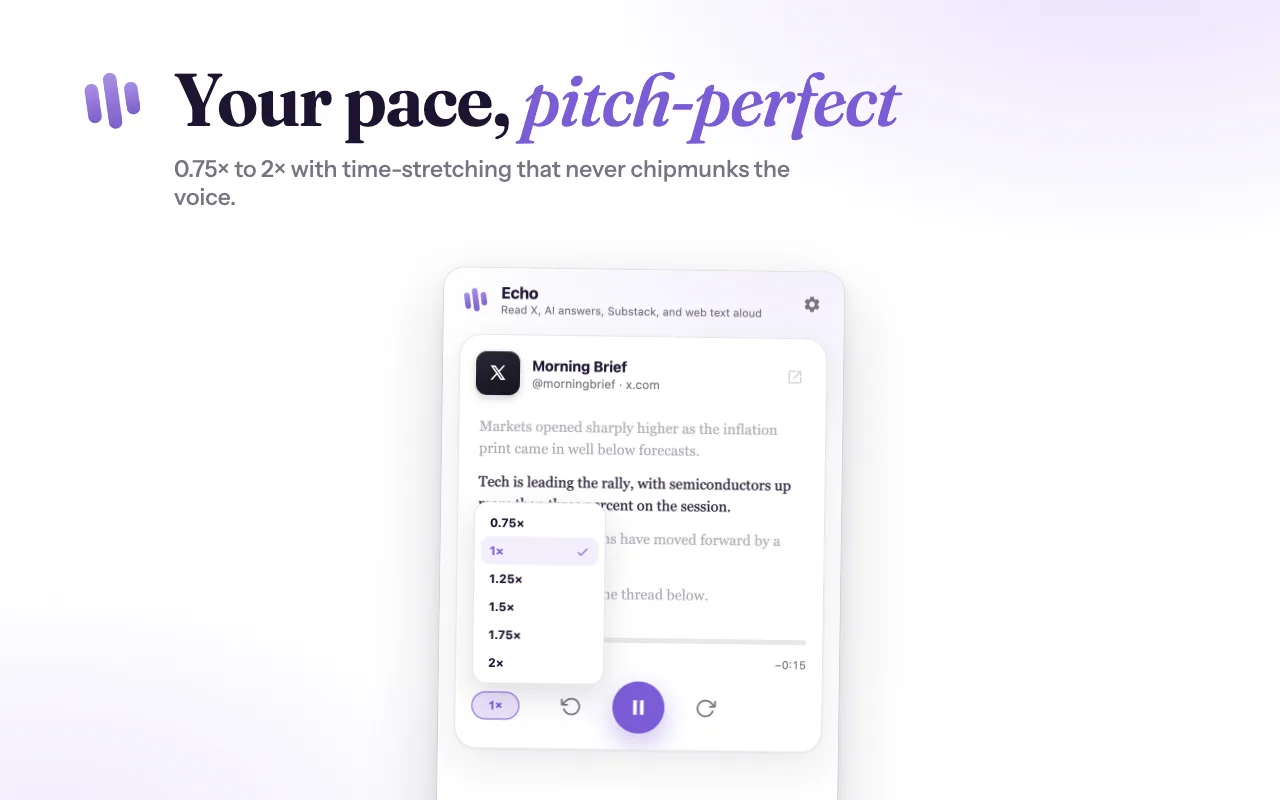
A live transcript you can click to jump around, a scrub bar, prev/next sentence, and speed from 0.75× to 2× — a podcast app for your timeline.
Pronunciation editor
Teach Echo how to say tickers, acronyms, and shorthand — "NVDA" reads as "Nvidia," not "en-vee-dee-ay." Built for finance X.
In action
Built to feel native.
Every post, answer & article.
X posts and Grok answers first — plus ChatGPT answers and Substack articles, all from the same headphones button. No new app, no copy-pasting text into a reader.
A real player, not a beep.
The side panel shows the live transcript with the current sentence highlighted, a scrub bar, replay and skip controls, and speed from 0.75× to 2×.
Privacy
Nothing you read leaves your device.
Most read-aloud extensions send your text to a cloud voice API. Echo doesn't. The voice model runs in your browser.
On-device synthesis
The Kokoro neural voice is downloaded once (with your consent) and runs locally. Post text, article text, AI answers, selected text, and audio are never sent to Echo — no Echo server exists.
No account, no tracking
No sign-up, no API key, no reading history. Anonymous usage stats are opt-in and off by default, and never include text, names, handles, or URLs.
Transparent network use
Echo only talks to the network for the one-time voice download (Hugging Face) and to fetch full X post text from X's own public endpoints. That's it.
How it works
Listening in under a minute.
Add to Chrome
Install Echo from the Chrome Web Store with one click — free, no account, no sign-up.
Open something to read
Visit X, ChatGPT, or a Substack article. A headphones button appears right in the page. Elsewhere, select text and right-click.
Click Listen
Your first click downloads the voice (~80 MB, once, with your consent); every click after that plays instantly — even offline.
FAQ
Questions, answered.
Is Echo really free?
Yes. There's no subscription, no account, and no usage quota, because there's no cloud service to pay for — synthesis happens on your machine.
Why is there a one-time 80 MB download?
That's the Kokoro neural voice model. Echo asks for your consent before downloading it from Hugging Face on your first listen. It's cached locally and never downloaded again unless you clear the voice cache.
Does Echo send my reading text anywhere?
No. Post text, article text, AI answers, selected text, and generated audio never leave your browser. The only network requests are the one-time voice download and fetching full X post text from X/Twitter's own public endpoints.
Which sites get a Listen button?
X (posts and Grok answers), ChatGPT (assistant answers), and Substack (article pages). On every other page, select text and right-click → "Read selection with Echo."
What are the system requirements?
Google Chrome 116 or newer (or a Chromium browser that supports Manifest V3 side panels). The voice runs on WebAssembly, so no special hardware is needed.
Something isn't working — where do I get help?
Check the support page for common fixes, or email us — the address is in the footer.
Give your eyes a break.
Add Echo to Chrome and let your feed read itself.
Add to Chrome — it's free